Know what's flying by
in the sky!

Set it on your desk or pull it from your pocket. Skyby instantly shows what is flying overhead: airliners, private planes, helicopters, and more. No searching, no typing, no menus.

Download on the App Store
iPHONE & iPAD · US, CANADA, UK & EUROPE
LIVE · OVERHEAD NOW
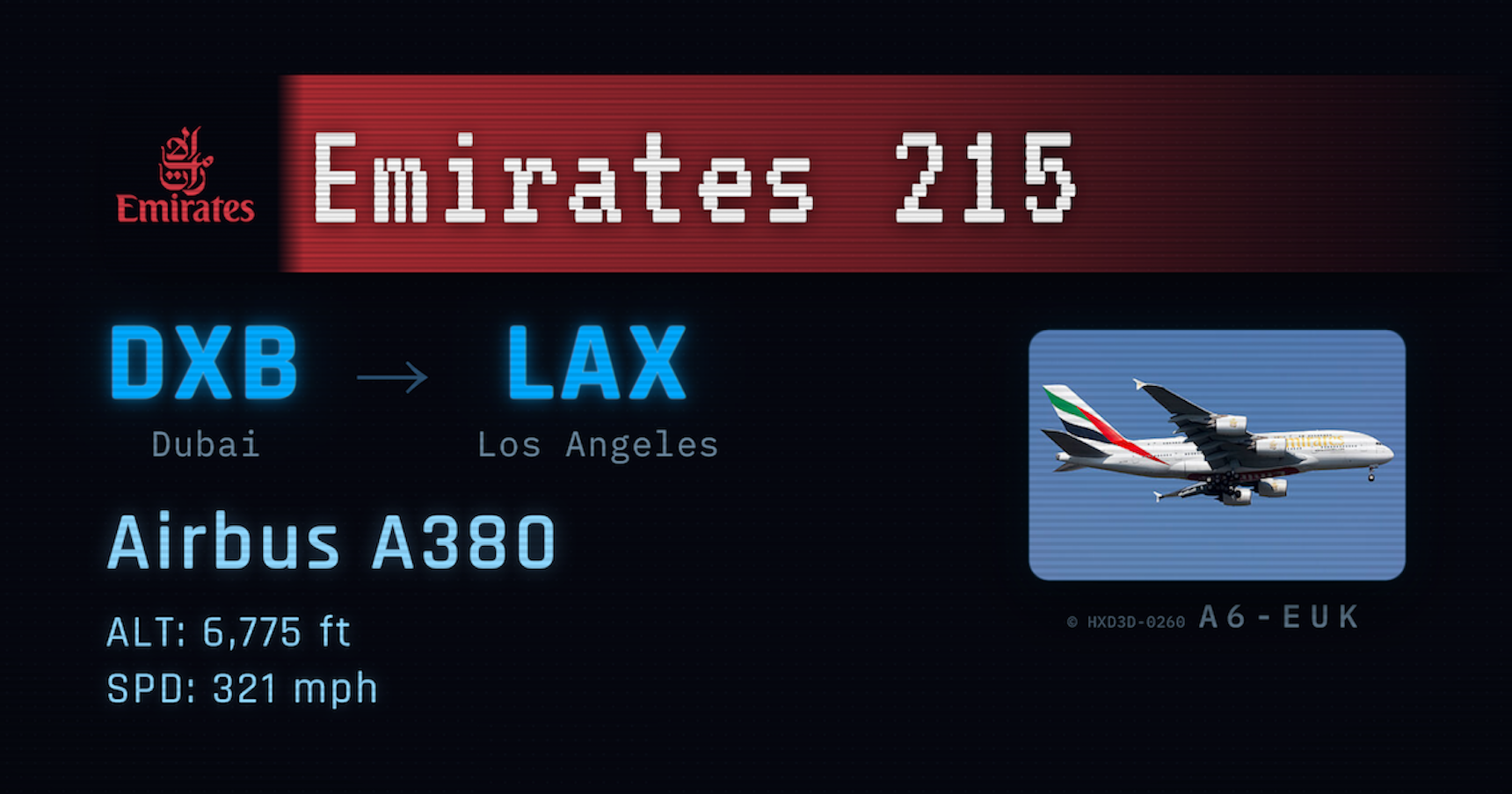
Skyby catch card identifying a flight overhead: airline, route, aircraft type, altitude, and speed
AN ACTUAL CATCH. THIS IS WHAT YOU SEE WHEN A FLIGHT CROSSES YOUR SKY.
What you get

Whatever is above you, the moment you look

Skyby reads the sky in real time and shows the aircraft directly overhead. Whether you're a hardcore planespotter posted at the end of a runway or a casual fan glancing up from home, the answer is already on screen.

Instant overhead ID

Whatever is above you appears the moment you look. No searching, no typing. Airline or operator, aircraft type, and altitude, right there.

Alerts that chime

Set an alert for the aircraft you care about and Skyby chimes the moment one flies over. A380 and 747 alerts are built in, free.

Inbound indicator

An inbound indicator shows when a flight is coming into range, so you know something's about to cross your patch of sky.

Automatic logbook

Every catch is saved to your logbook automatically. Look back at what's crossed your sky, no effort required.

Set your spot, or roam

Use your current location, drop a pin to watch the skies over home while you're at work, or set the pin to live and Skyby follows you as you move.

Even better on iPad

Skyby runs on iPhone and iPad. Propped up on a desk or shelf, the iPad's bigger screen is the best seat in the house.

From the logbook

Every catch, kept

Widebodies from the other side of the world, the evening bank of domestic arrivals, the regional turboprop nobody else noticed. Skyby catches them all and files them away for you.

Skyby catch card from the logbook
Caught · Logged · Yours
Skyby catch card from the logbook
No taps required
Skyby catch card from the logbook
Automatic, every time
How it works

Two ways to use it

Skyby identifies it all: the airliners crossing your sky, the private planes and business jets, the helicopters overhead. Airliners show their route and flight details; general aviation and helicopters show the aircraft type and operator. Prefer to keep it to the airlines? Flip on Commercial Only in settings.

01

Set it and forget it

Prop Skyby on a desk, shelf, or windowsill and leave it running: a quiet radar for your patch of sky, each flight appearing as it passes.

02

Pull it out and look up

On a walk or in the backyard, open Skyby and instantly see what's flying over right now. The answer's on screen before you finish asking.

03

Let it chime

Set an alert for the aircraft you care about, put Skyby down, and go about your day. It chimes the moment one flies over.

Shelf mode, for real

It watches so you don't have to

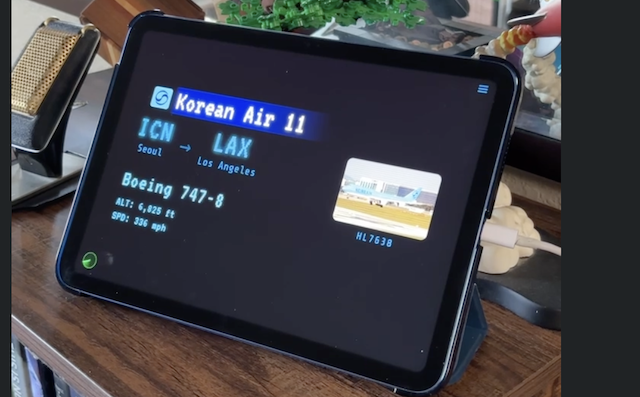
An iPad on a shelf, a chime, and a 747 overhead. This is Skyby doing its job while nobody touches anything.

FILMED UNDER THE LAX APPROACH. THE CHIME IS REAL. SO IS THE JET.
Skyby Pro

Go deeper with Skyby Pro

Pro adds real aircraft photos matched to the tail number, custom alerts for any airline, aircraft type, flight number, or tail, your full logbook with search and bookmarks, detailed stats, and a wider search radius to catch planes beyond directly overhead. No ads, ever.

See what's flying by in the sky

Nothing to set up, nothing to search. Just look up.

Download on the App Store
iPHONE & iPAD · US, CANADA, UK & EUROPE